Welcome to the first of many of our blogs relating to Threat Hunting. It seems that there is limited information available for guiding people interested in learning about or engaging in threat hunting. In response, I am going to give my best shot at explaining my way of threat hunting. I'm not sure who my viewers will be, so I will start with the bare-bones of the process. Before proceeding I would like to make it clear that there are more advanced methods that will be described in subsequent articles.
Mindset
You as a researcher first and must obtain and maintain the right mindset. This cannot be stressed enough as this is what makes or breaks successful researchers. Let me explain this mindset I am talking about with my favorite quote from a book called The Theseus Paradox by David Videcette.
To catch the bad guys, you've got to think like a bad guy - and that's why all the best detectives have a dark side ..."
The Beginning
There are some basics that you should understand before threat hunting. Most hosted servers I find are Ubuntu or Windows Server 2012 R2 based so you should have basic knowledge of both Linux and Windows commands. Next, you need to learn the different types of honeypots to determine which will suit your needs. The following are the different types of honeypots and their definitions:
- Research Honeypot - Used to gather information about attackers, attack patterns and techniques.
- Pure Honeypot - Full copy of a production system. It's important to create dummy sensitive data. Who knows maybe a canary token might come in handy ;)?
- High Interaction Honeypot - Simulates a production environment, often slow response times. This helps slow attacks down to allow for more information on the actor.
- Low Interaction Honeypot - Simulates only the services frequently requested by attackers. Used for if someone wants to target a malware family.
- Spam Honeypot - Open mail relay where spammers commonly exploit.
- Spider Trap - Used to detect web crawlers, also known web spiders.
- Database Honeypot - This can be implemented by some database firewalls when detecting an intrusion attempt
So now you know the basics of the types of honey pots available and can experiment with those that meet your objectives. Now there is a question that arises.
How can I train myself?
There is a simple answer to that. There is a operating system designed for you to practice. Its really interesting that not many people have heard of it. The name is Honey Drive.
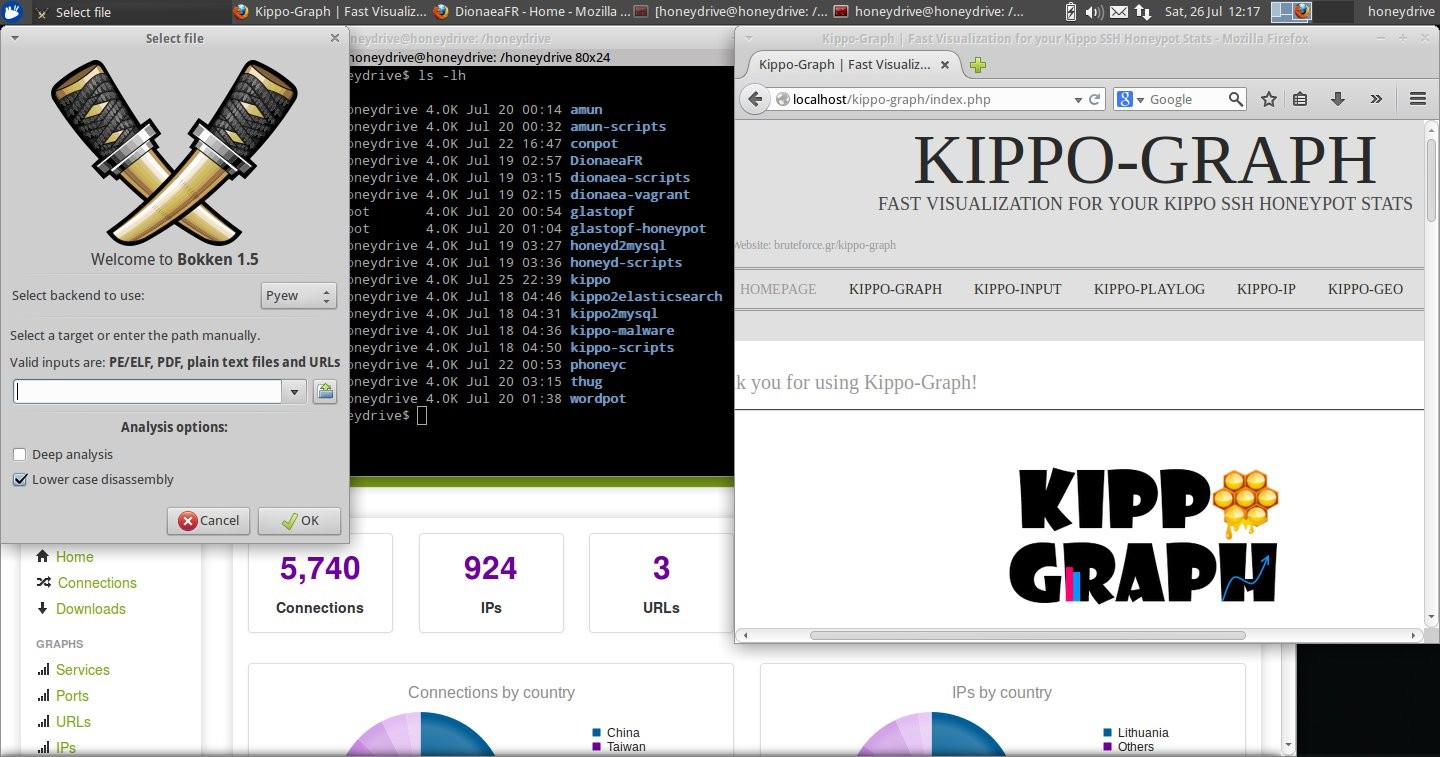
What does this operating system contain? Well here is a nice list provided by source forge.
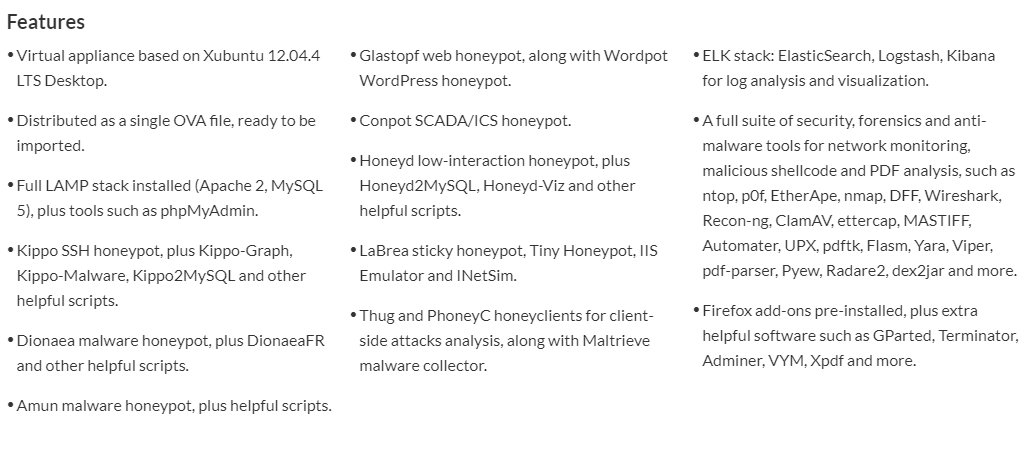
As you can see it comes with a wealth of tools to get your hands dirty. This is where you would begin setting up your honeypots and configuring them. See what you like and don't like. Everyone has their own favorites.
Localized Testing & Training
Once you have finished training and are confident in configuring your honeypot the next steps are simple. Start throwing your own exploits at the system. This will accomplish the following:
- Giving you hands-on experience collecting and gathering samples. On the same note it will allow you to tweak configurations to your liking.
- Launching various exploits. Essentially giving more experience in popping boxes.
Final Thoughts
The thought behind this article is to provide you with a road map to becoming a threat hunter. Experiment with alternative resources and configurations. Think outside the box. In our next installment, I’ll go a little deeper into features, configurations alternatives, and best practices for deployment.

About the Author
James
Software Engineer, Senior Vulnerability Researcher, TRaViS Board Advisor